8 Best Dash Cams in Australia (2026)
Budget, features and what you actually get in the box, comparing eight popular dash cams available in Australia.
What to look for before you buy
Choosing a dash cam mostly comes down to four things: how much you want to spend, how you'll install it, what resolution and coverage you need, and whether you want parking protection. Here's what each of those actually means.
- Backup power: Lithium-ion batteries are more common but can be prone to overheating in hot climates. Supercapacitors are more heat-resistant and reliable for long-term use — better suited to Australian conditions.
- Installation type: Hardwiring connects the dash cam to your fuse box for continuous power, which is needed for parking mode, but takes more effort to install. Plug-in (12V socket) is quick and needs no technical skill, but usually only powers the cam while the car is running.
- Resolution: 1080p is fine for most users; 4K gives sharper detail, useful for reading number plates.
- Channels: Single-channel covers the front only. Dual-channel adds a rear camera. Some models add a third, interior-facing camera for cabin coverage.
- App connectivity: Lets you retrieve and share footage from your phone without pulling the SD card.
- Cloud / remote viewing: Different from app connectivity — this means the dash cam itself is internet-enabled, so you can check in or view a live feed from anywhere, not just when you're standing next to the car. Usually comes with an ongoing cost, since it needs a cellular connection or subscription.
- Parking mode: Records while your car is parked, usually via hardwiring. Some models buffer footage from just before an impact; others only start recording after it's detected.
Which one fits your budget?
A quick-scan comparison before the full write-ups below.
| Best for… | Pick | Price | Why |
|---|---|---|---|
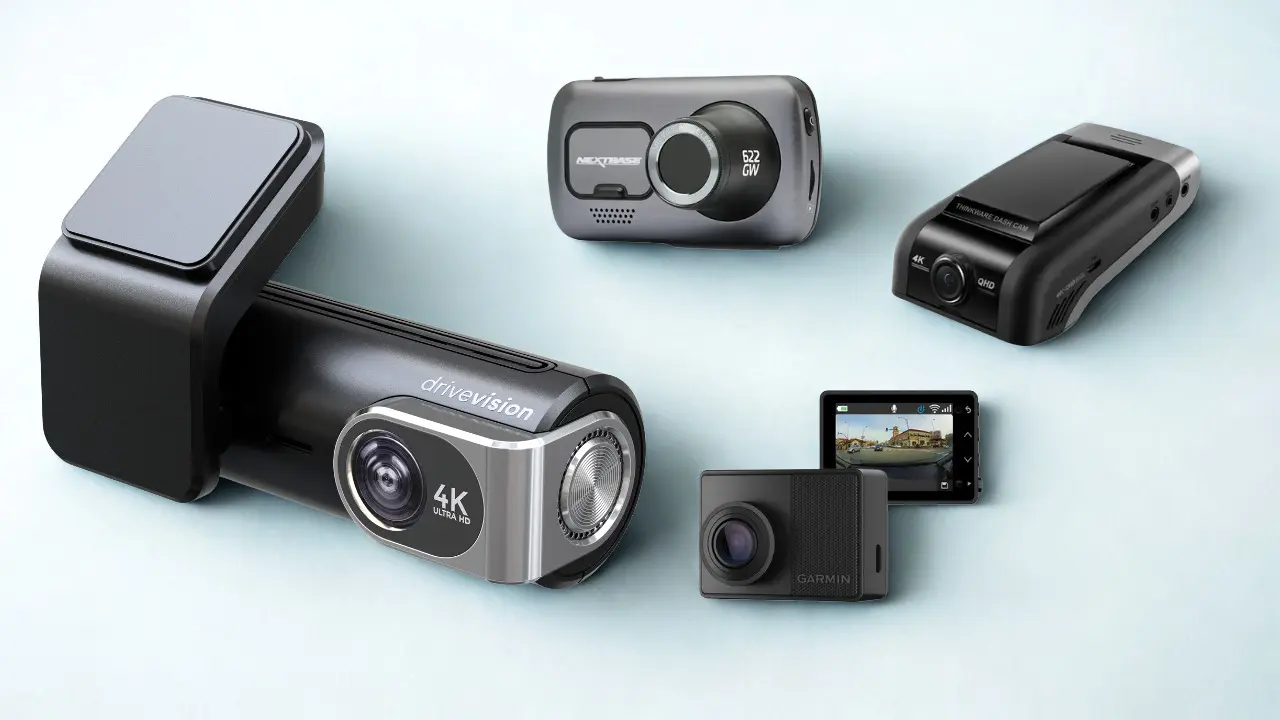
| Everyday driving, great value | DriveVision Our pick | $299 | 4K recording front + optional 2K rear, Sony STARVIS Sensor, GPS, supercapacitor, full kit in the box, local AU support. Shop DriveVision |
| Cloud / remote viewing | BlackVue DR970X-2CH | $899 | WiFi cloud sync and notifications built in; optional LTE module needed for remote viewing away from WiFi — subscription required for full cloud features. |
| Premium feature set | Nextbase 622GW | $499+ | 4K, ADAS, Alexa, Emergency SOS — rear cam and hardwire kit cost extra. |
| Rideshare / cabin coverage | Vantrue N4 | $369 | 2K Front + cabin + 1080p rear recorded simultaneously. |
| Mid-range dual-channel | VIOFO A229 Plus | $399 | 2K+2K STARVIS 2 sensors, supercapacitor, dual-band WiFi + GPS. |
| Simple budget dual-channel | 70mai A810 | $399 | 4K front, GPS, app control; simpler spec than the A229 Plus. |
| Compact single-channel | Garmin x310 | $679 | 4K HDR, touchscreen, GPS — no rear-camera option at all. |
| Flagship, budget no object | Thinkware U3000D | $1,349 | 4K+2K, dual RADAR, full kit included — the most expensive cam here. |
Prices are a guide only and may vary by retailer or change over time. Check the linked product page for the current price before you buy. We may earn a commission if you buy another brand through our links · how we make money
DriveVision 4K Dash Cam
RRP $299★ 4.5 rated on Trustpilot & ProductReview
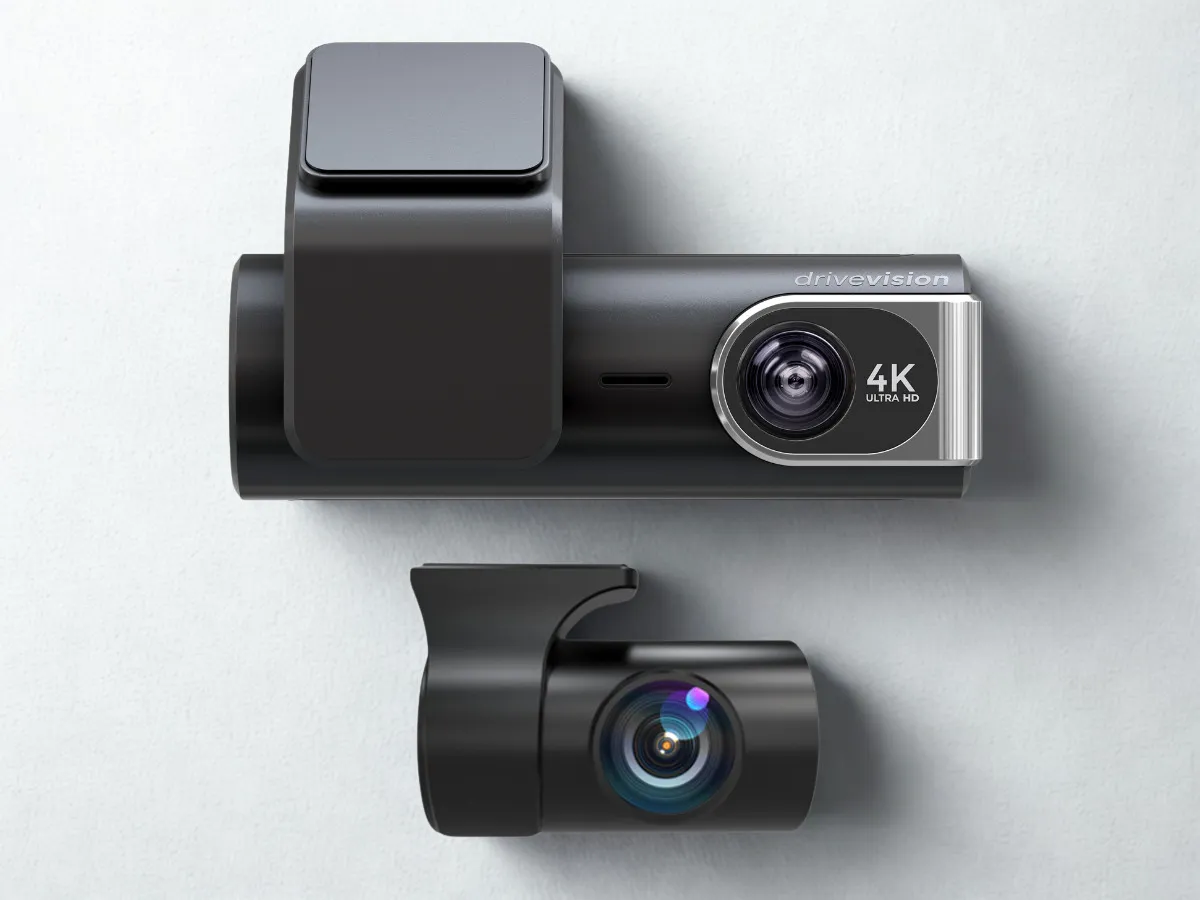
DriveVision delivers strong everyday performance at a more affordable price — without compromising on quality. Here's what's inside it, and how it stacks up against the other seven cams on this page.
Orders placed before 12 PM ship the same business day from Sydney and the Gold Coast, supported by responsive local service and a growing network of authorised stockists and installers.
What's in the box
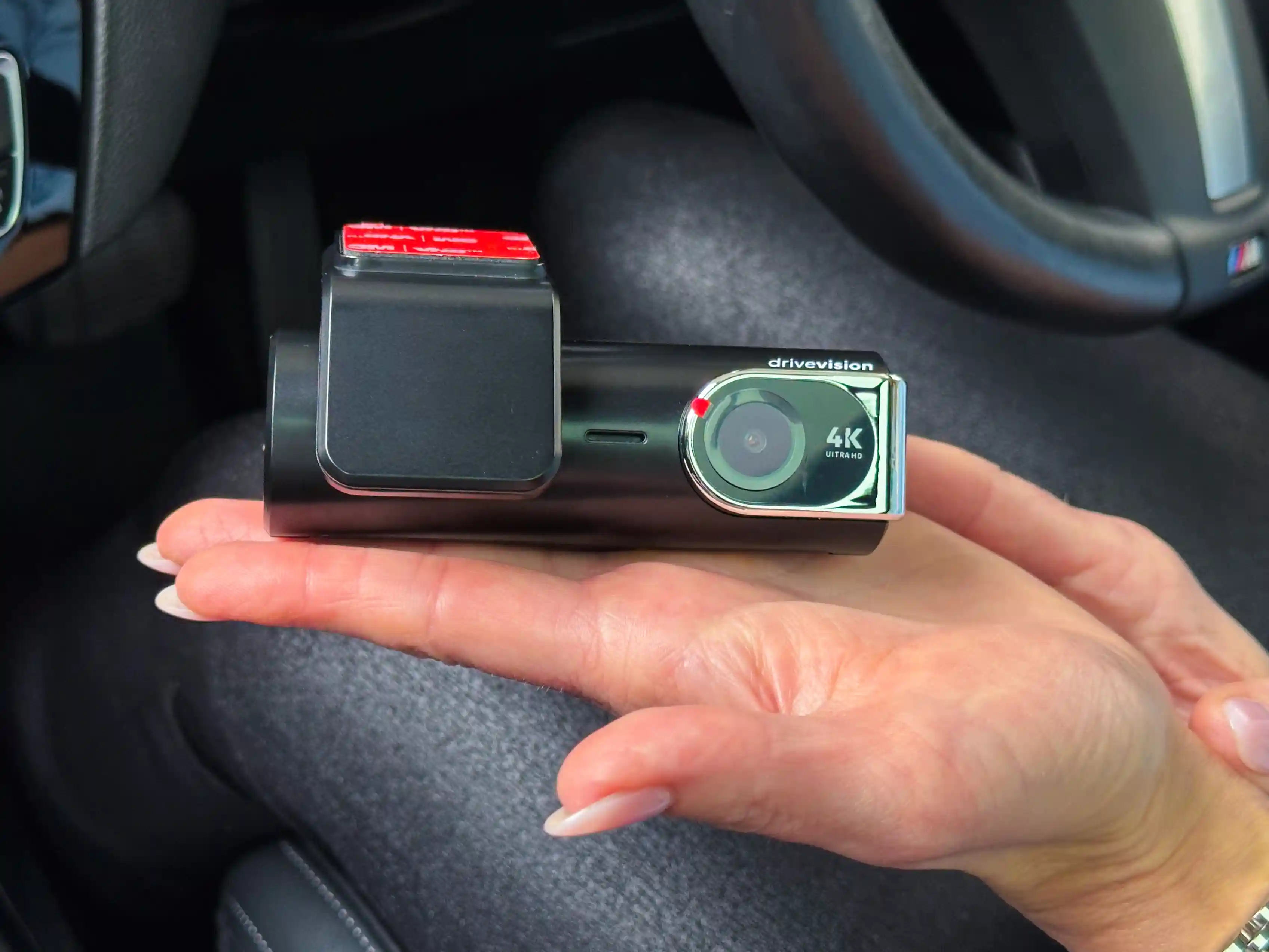
4K recording front camera with a 2K rear option, a 170° field of view, and a Sony sensor for day and night footage. It includes a low-energy timelapse parking mode for 24-hour surveillance while parked, with built-in voltage protection to prevent draining your car battery. Also included: GPS tracking, optional sound recording, a heat-resistant supercapacitor, a hardwire kit, 12V adapter, trim tool, and a 64GB card (upgradeable to 256GB). You can start with a single channel and add a rear camera later rather than choosing upfront, and manage everything — footage, settings, parking mode — from the app.
Pros
- Aussie owned and operated: in Sydney and the Gold Coast, with local customer support.
- Feature-rich at a value price: 4K recording front, 2K rear, GPS, audio recording, parking protection.
- Ultra-wide coverage: 170° front and 120° rear lenses.
- Flexible setup: start front-only, add a rear camera later.
- Timelapse parking mode: low-power continuous recording when hardwired; G-sensor locks files on impact.
- Reliable power: supercapacitor handles Australian heat and protects files if power is cut.
- Sony STARVIS sensor for low light: clearer footage at night.
- 64GB card included: supports up to 256GB.
- App functionality: adjust settings, manage parking mode, format the card, download footage.
- All-in-one kit: hardwire kit with voltage cut-off, 12V plug, fuse taps and trim tool included.
Cons
- Lacks cloud connectivity for remote viewing, a feature found in some higher-end models.
Video
Bottom line
DriveVision is built to do what a dash cam is meant to do: capture clear, reliable footage without unnecessary frills or a hefty price tag. If cloud remote viewing or three-channel cabin coverage matter more to you, one of the cams below might be a better fit — the comparison table above lays out the trade-offs.
Shop DriveVisionBlackVue DR970X-2CH Plus
RRP $899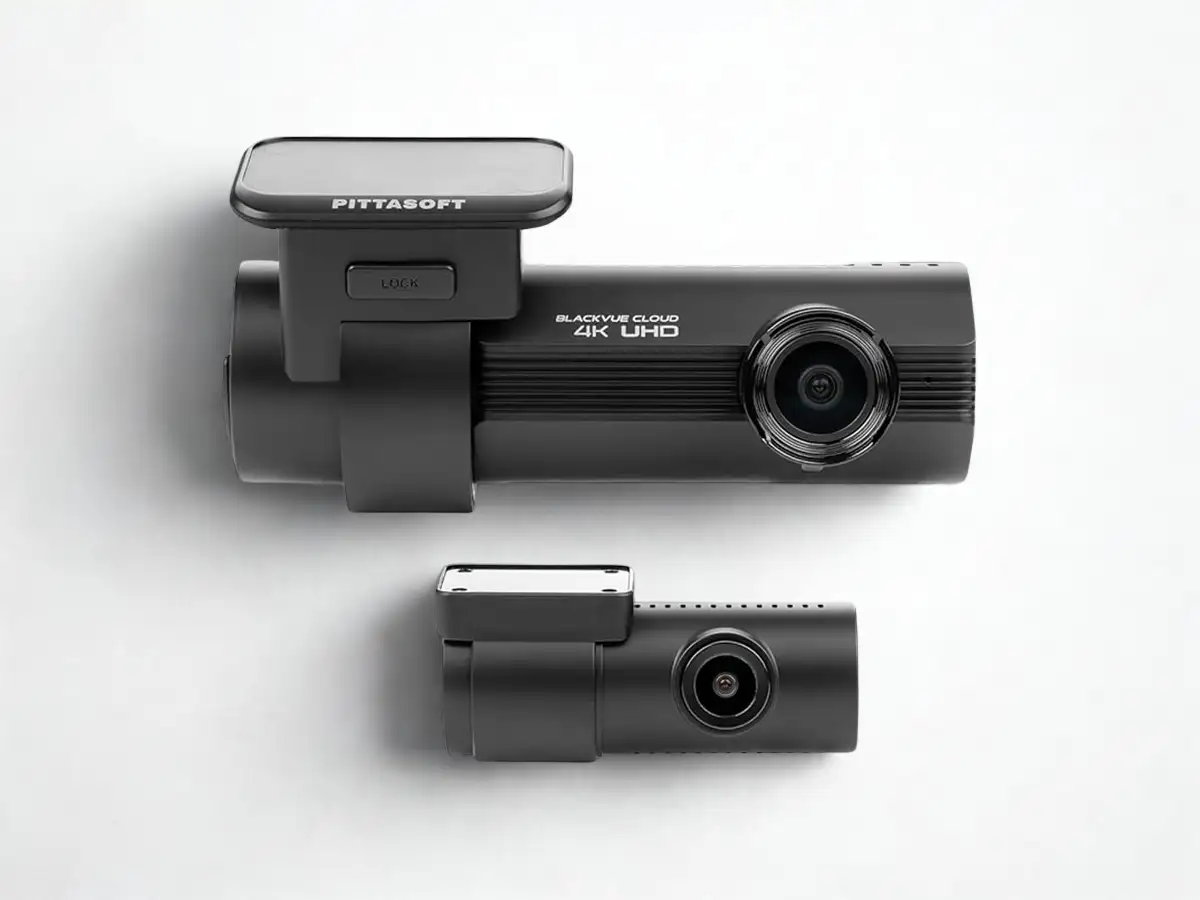
A reliable option from one of the most established names in dash cams. The front camera records 4K Ultra HD, the rear 1080p Full HD. Built-in WiFi and GPS give you cloud sync, event notifications, and footage downloads through the BlackVue app whenever the cam is in WiFi range. For remote viewing and live tracking away from WiFi, you'll need the optional CM100LTE module, sold separately. Includes a hardwire kit, cigarette lighter plug, and a quick-format button for SD card health.
Most of the cost here goes toward the brand name and connected features — it's dependable, but setup is more involved and cloud access carries ongoing subscription fees.
Pros
- 4K front camera with strong detail.
- Cloud connectivity: WiFi-based sync, notifications and footage download via the BlackVue app.
- LTE-capable: add the optional CM100LTE module for remote viewing and live tracking away from WiFi.
- Built-in GPS and quick-format button.
- Heat protection cutoff.
Cons
- Price: one of the most expensive cams on this page.
- Subscription fees for cloud services.
- LTE costs extra: true anywhere remote viewing needs the CM100LTE module on top of the RRP — WiFi-only cloud access is what you get out of the box.
Bottom line
Worth it if cloud connectivity matters to you — WiFi-based sync and notifications work out of the box, and you can add the LTE module later for access away from WiFi. If that's not a priority, the other cams on this page cover the fundamentals for a lot less.
Shop NowNextbase 622GW
RRP $499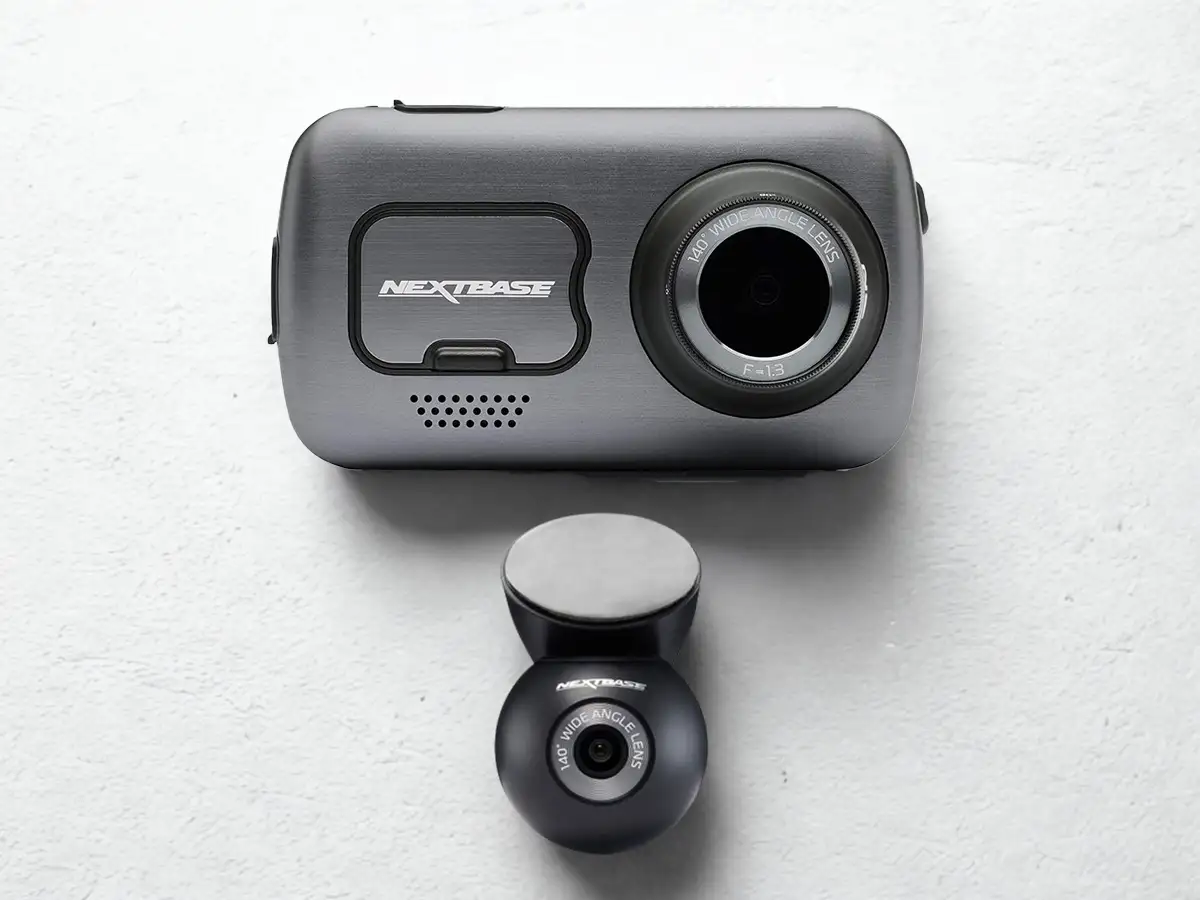
The Nextbase 622GW is aimed at drivers who want premium features and are willing to pay for them. It records 4K UHD at 30fps, with image stabilisation, night vision enhancements, a fog-optimised mode, GPS and a built-in touchscreen.
Emergency SOS and what3words can send your location to emergency services after a crash, and Alexa adds hands-free control. The RRP of $499 covers the front camera only — the rear module is an extra $99 (1080p), and the hardwire kit is a further $49.
It uses an internal lithium-polymer battery rather than a supercapacitor, and parking mode isn't fully buffered — it only starts recording after motion or impact.
Pros
- 4K Ultra HD with multiple frame rate options.
- Image stabilisation for smoother footage.
- Enhanced low-light & fog mode, Emergency SOS.
- Amazon Alexa integration.
- Built-in GPS & touchscreen.
Cons
- Hardwire kit extra: +$49.
- LiPo battery, less ideal for Australian heat.
- Parking mode isn't fully buffered.
Bottom line
Feature-rich and capable, but the real cost is higher than the headline RRP once you add rear coverage and hardwiring.
Shop NowVantrue N4 3-Channel
RRP $369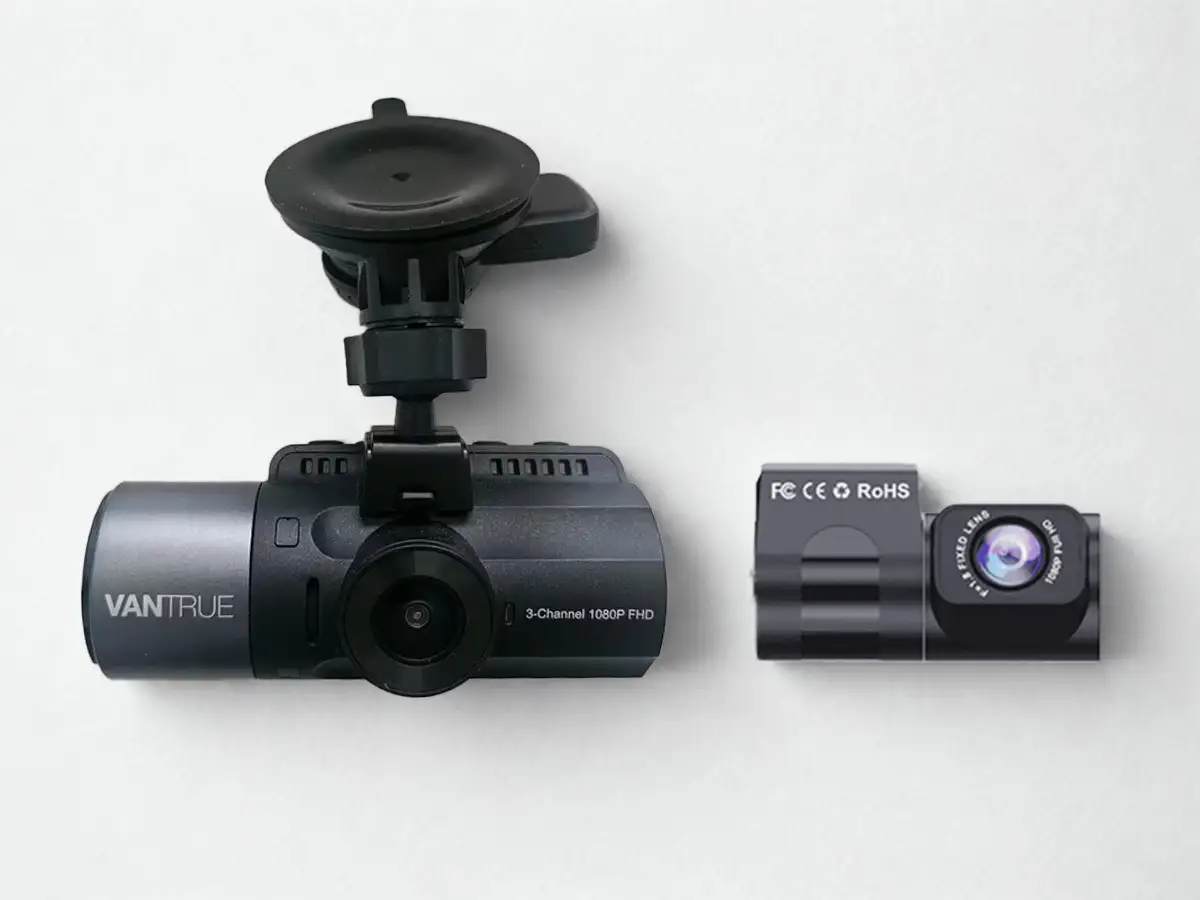
The Vantrue N4 brings full 360° coverage with front, inside-cabin, and rear cameras recording simultaneously — ideal if you drive for rideshare or want visibility on everything around you. The front and inside lenses record in 1440p/QHD, the rear in 1080p. It uses Sony STARVIS sensors and a supercapacitor rather than a lithium battery, improving durability in hot conditions.
Parking mode offers both motion detection and time-lapse options, though the hardwire kit is an optional extra for full functionality. The inside camera has infrared LEDs for cabin visibility at night.
Pros
- Three-channel coverage: front + cabin + rear recorded at once.
- Supercapacitor power: more heat-resistant than lithium battery models.
- Strong low-light tech: IR lighting and good sensors for cabin and front visibility at night.
- Time-lapse & motion parking modes.
- Infrared night vision: 4 IR LEDs capture the cabin even in the dark.
Cons
- Extra costs for full setup: hardwire kit not included.
- Optional GPS: sold separately.
- No WiFi/app control: footage transfer is manual.
- Bulky mounts: the three-lens setup is more visible than sleeker cams.
Bottom line
A strong pick for rideshare drivers or anyone who wants cabin coverage.
Shop NowVIOFO A229 Plus
RRP $399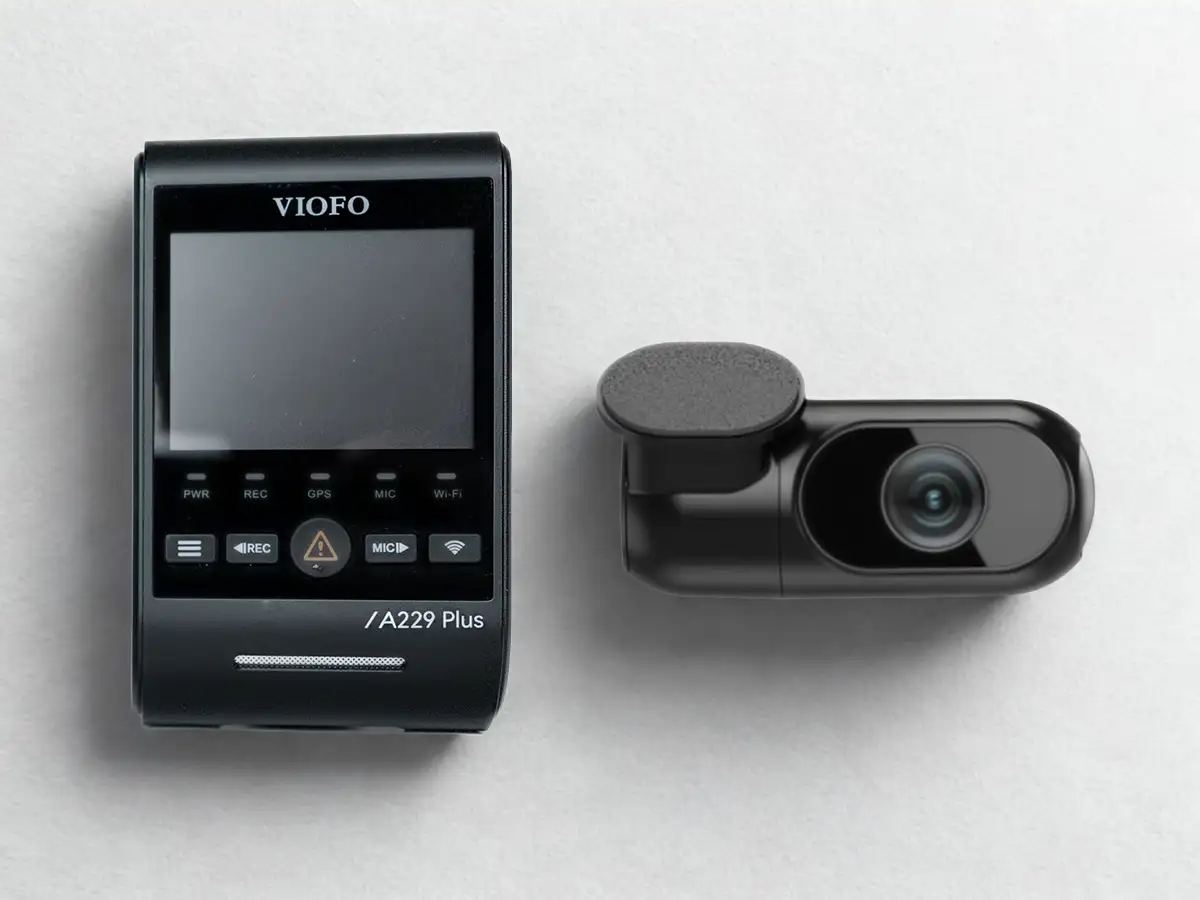
The Viofo A229 Plus offers a well-balanced mix of modern features and video performance, especially for drivers who want strong dual-channel clarity without ultra-premium pricing. Both cameras record in 2K QHD using Sony's STARVIS 2 sensors, with built-in GPS, dual-band WiFi, voice control, and a supercapacitor rather than a battery.
Extras cost extra: the hardwire kit is optional, and a third (interior) channel is a separate purchase. 2K is strong but doesn't reach the 4K of some rivals.
Pros
- 2K + 2K quality with Sony STARVIS 2 HDR sensors.
- Supercapacitor powered: more heat-resistant than battery units.
- Dual-band WiFi + GPS included.
- Voice control & alerts.
Cons
- Extras cost extra: hardwire kit and interior camera sold separately.
- Size: fairly visible on the windscreen.
Bottom line
Excellent value if you want genuine dual-channel performance and heat-resistant hardware without paying flagship prices.
Shop Now70mai A810
RRP $399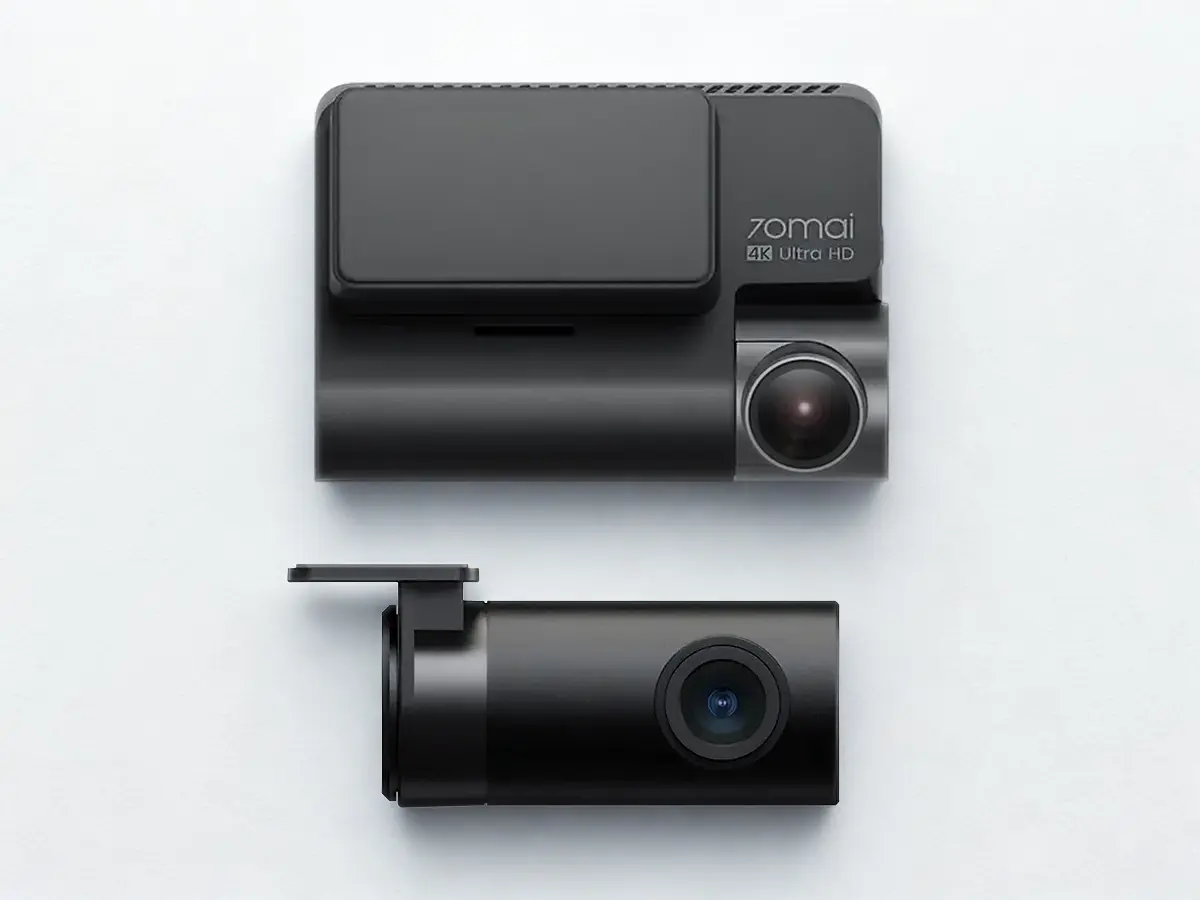
The 70mai A810 offers 4K front video and dual-channel recording without spending top-dollar. It uses a Sony STARVIS-2 sensor, HDR, GPS logging, WiFi/Bluetooth, and a companion app. Parking surveillance (motion, impact, time-lapse) is supported, though full parking mode needs the optional hardwire kit.
Trade-offs: front frame rate drops slightly when the rear camera is active, the rear camera is weaker in low light, and it uses an internal battery rather than a supercapacitor — less ideal in extreme heat.
Pros
- 4K HDR front footage with a STARVIS-2 sensor.
- Dual-channel recording included in many bundles.
- GPS & app control via WiFi/Bluetooth.
- Flexible parking surveillance modes.
Cons
- Extra cost add-ons: hardwire kit sold separately.
- Rear camera limitations in low light; front fps drops when rear is active.
- Lithium battery, not a supercapacitor — less resilient in heat.
Bottom line
Solid dual-channel value at the budget end. If you’d prefer a supercapacitor for Australian heat, the A229 Plus and DriveVision both use one, and DriveVision also includes the hardwire kit in the box.
Shop NowGarmin Dash Cam x310
RRP $679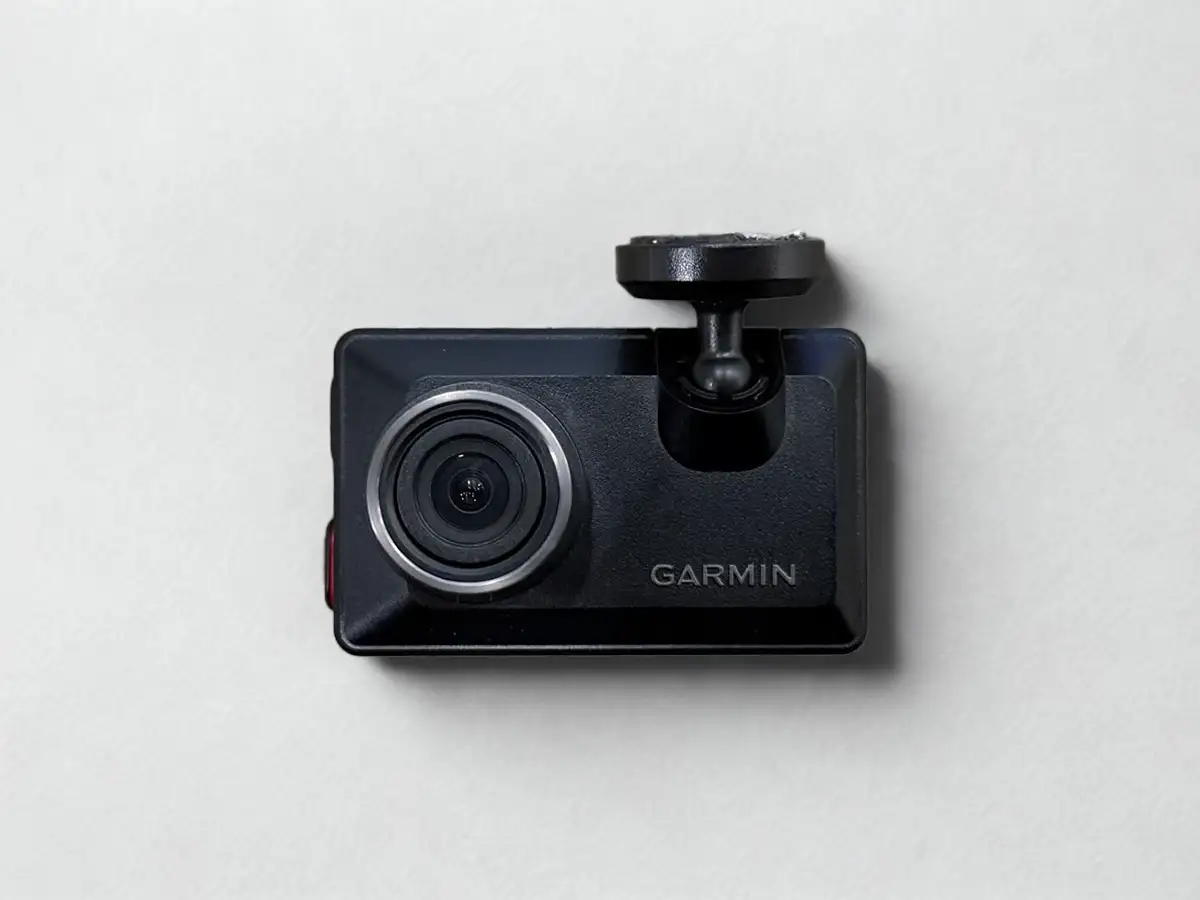
A compact flagship model with 4K HDR video at 30fps, a 2.4-inch touchscreen, built-in GPS, voice control, and a polarising lens to cut glare. The design is small and discreet.
It's single-channel only — there's no rear camera option at all, Garmin requires a separate model for that. No microSD card is included, parking mode needs a separately-purchased power cable, and Live View cloud access requires a subscription. The internal battery lasts only ~20 minutes.
Pros
- 4K HDR with a polarising lens to reduce glare.
- Compact design & touchscreen.
- Built-in GPS & voice control.
- Remote Live View access.
Cons
- Single channel only — no rear camera option.
- Memory card not included.
- Extras & subscriptions: power cable and Live View cloud cost extra.
- ~20-minute battery backup only.
Bottom line
Strong if you specifically want Garmin's compact 4K package and don't need rear coverage — otherwise it's a pricey single-channel setup once extras are added.
Shop NowThinkware U3000D
RRP $1,349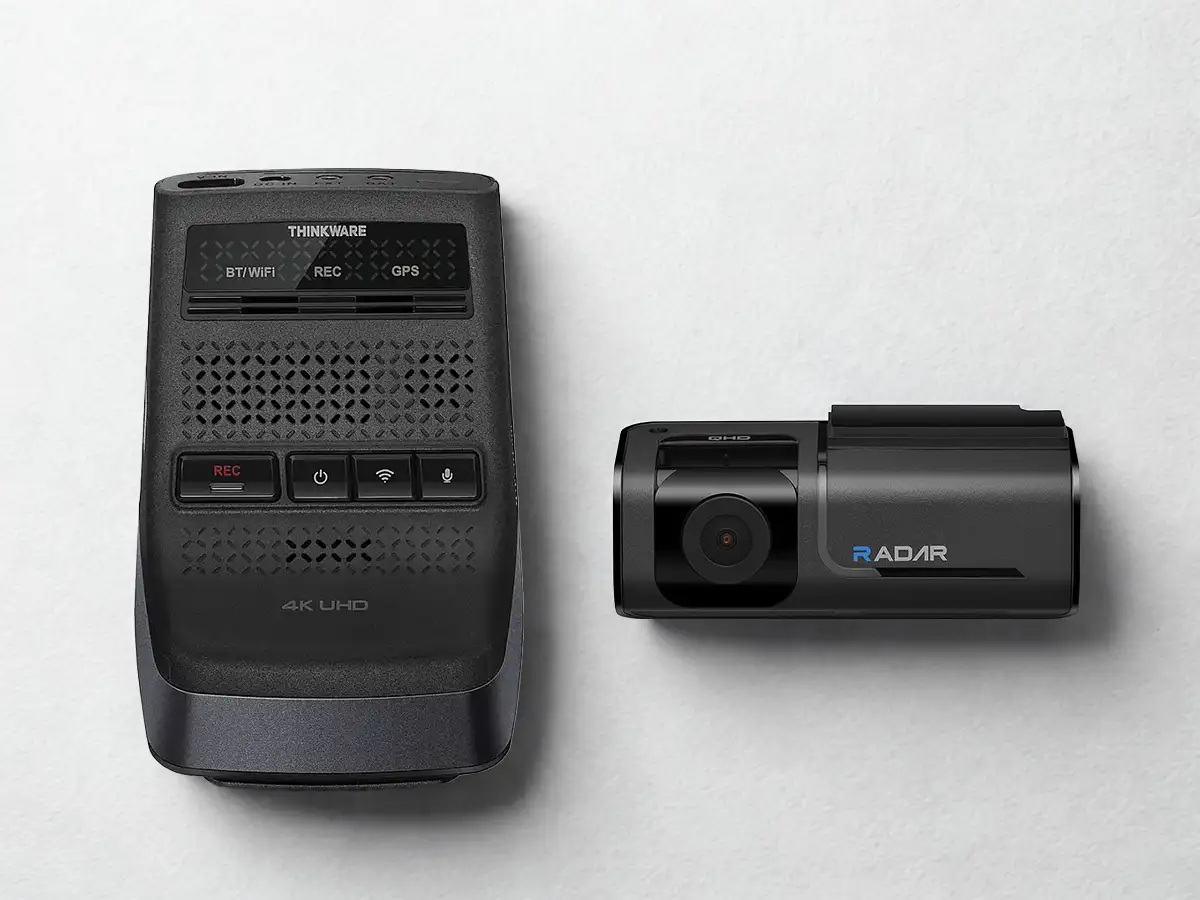
A flagship dash cam with as many premium features as currently exist in the category. Includes front and rear cameras, hardwiring accessories, and a 64GB card in the box. Front records 4K UHD, rear 2K QHD and wide viewing angles.
Dual built-in RADAR sensors enhance parking surveillance and motion detection, plus Super Night Vision 4.0, WDR, and ADAS features like lane departure and forward collision warnings.
It's large, still needs hardwiring for full parking-mode functionality, and — given all this hardware — significantly more expensive than everything else on this page.
Pros
- 4K UHD front & 2K QHD rear cameras.
- Dual RADAR detection, front and rear.
- Strong low-light performance with Super Night Vision 4.0.
- Full kit included: 64GB card, rear cam, hardwire kit.
- Smart connected features & ADAS.
Cons
- Very steep price: ~$1,349, the most expensive cam here.
Bottom line
If you want every feature going and don't mind paying flagship pricing for it, the Thinkware U3000D could be your best bet.
Shop NowSo, which one?
There’s no single “best” dash cam for everyone. The right one depends on your budget and what you need it for. If you want cabin coverage for rideshare, look at the Vantrue N4. If cloud connectivity matters most, the BlackVue is built for that — add its optional LTE module if you want access away from WiFi too. If you want every feature going and budget isn't a constraint, the Thinkware U3000D might be the one to look at.
If you want simple, high-quality video for everyday driving, a reliable parking mode and easy footage retrieval from your phone, backed by local Aussie support, take a look at DriveVision. Use the comparison table near the top of this page to weigh it against the rest before you decide.
How we make money
Dash Cam Guides Australia is owned and operated by DriveVision. When you buy a DriveVision cam through a link on this page, you're buying directly from us. When you buy one of the other seven cams through a link on this page, we may earn a referral commission from that sale. As an Amazon Associate, we earn from qualifying purchases. This doesn't change the price you pay.
We chose these eight cams because they're popular, widely available in Australia, and cover a range of budgets and features. Competitor prices are a guide only. They may vary between retailers and change over time, so check the retailer's page for the current price before you buy.
We've written the pros and cons of every cam on this page as accurately as we can, including DriveVision's own limitations (it doesn't currently offer cloud connectivity, for example). If you spot something inaccurate, let us know and we'll fix it.